CLI reference
The CLI ships as @skill-set/cli with a single bin, skill-set. Run it without installing via npx.
npx @skill-set/cli <command> [args] [flags] [-- <args for the skills CLI>]Resolution and installation of individual skills are delegated to the upstream skills CLI, pinned to skills@1.7.0 — every spawned invocation names the pin, e.g. npx skills@1.7.0 add <locator>.
Commands#
| Command | Usage | Does |
|---|---|---|
init | init <set> <locator> [locators...] | Scaffold a new set manifest |
add | add <url|path|name> | Fetch a shared set manifest, then install it |
install | install <set> | Install members, skipping ones the lock already satisfies |
build | build [<set>] [--lock] | Regenerate SKILL-SET.md files and the skill-sets.json index |
lock | lock <set> | Record each member’s installed content in a set-lock |
share | share [<set>] [--manifest <path>] [--output <dir>] | Export a shareable manifest and lock |
verify | verify [<set>] [--frozen] | Verify installed content against each set lock (frozen: require the lock) |
update | update <set> | Update members via the skills CLI, then re-lock |
remove | remove <set> | Remove a set definition, optionally remove skills not otherwise in use |
init#
skill-set init <set> <locator> [locators...]Scaffolds .agents/skills/skill-sets/<set>/<set>.skill-set.json at version 0.1.0 with the given members, then offers to install them and generate the set files. At least one locator is required — a skill-set cannot be empty. Set names are lowercase alphanumerics with single hyphens, at most 64 characters. If a set of that name already exists, init fails; it never overwrites a set definition.
add#
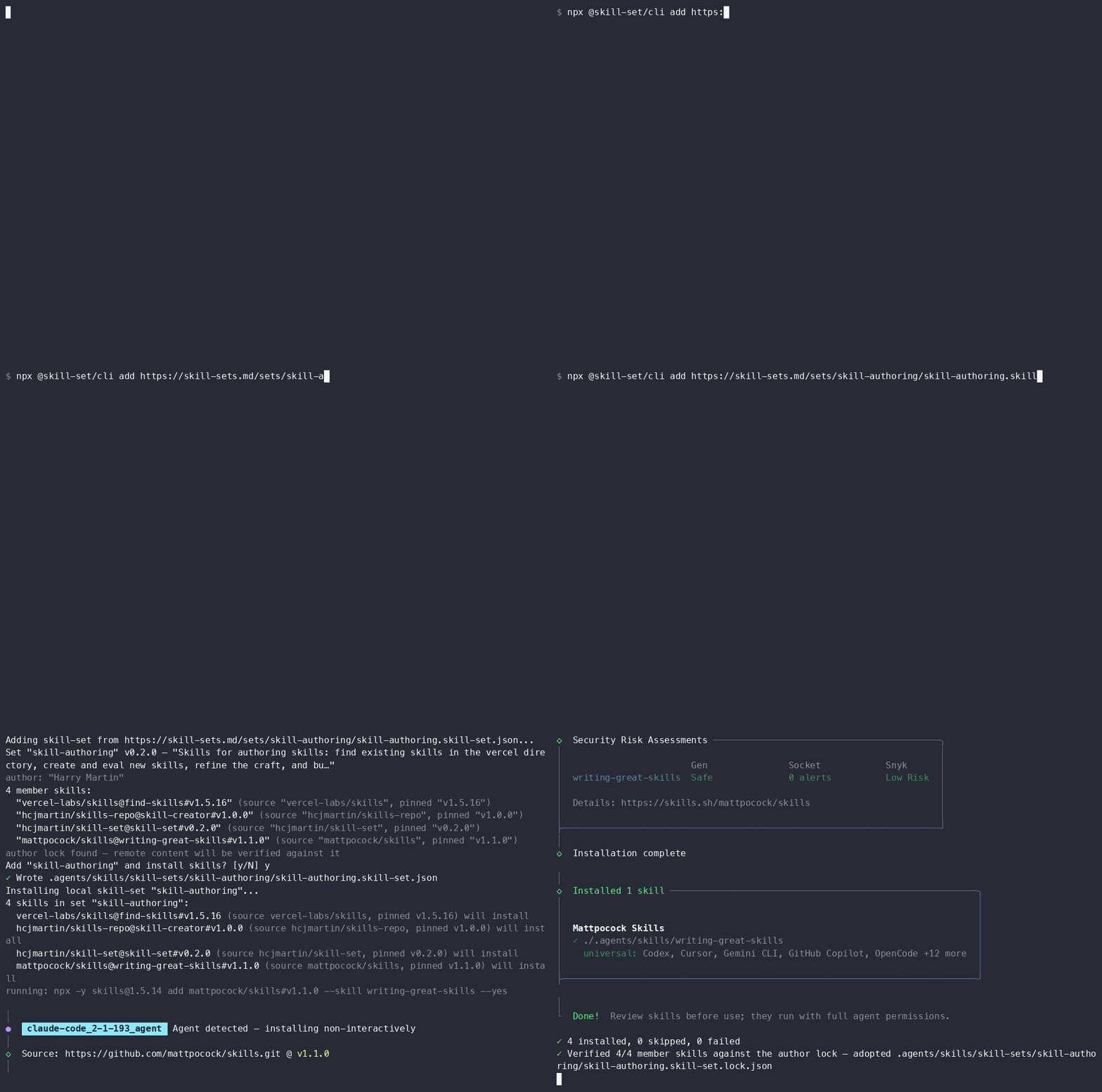
skill-set add <url|path|name>Acquires a shared set: fetches the manifest (HTTPS only; at most 5 redirects; 1 MiB response cap) or reads a local path, validates it against the schema and rules, prints the set summary with every member and its source, then asks for confirmation before writing anything. The fetched bytes are written verbatim as <name>.skill-set.json — the filename comes from the manifest’s name — and the normal install flow runs.
Shorthand sources expand to the full manifest URL before anything is fetched, and the expanded URL is printed first. An https:// URL whose last path segment is a bare set name will auto-resolve to /<segment>.skill-set.json. A bare set name with no matching local file resolves against the skill-sets.md reference directory: skill-set add hash-demo fetches https://skill-sets.md/sets/hash-demo/hash-demo.skill-set.json. Both forms still accept a #sha256= fragment and resolve locks if available.
Hosts other than recognised skill-set providers prompt for confirmation before any bytes are fetched, and redirects may not hop to a new host. An existing set with the same name is an error, never a silent overwrite.
install#
skill-set install <set>Before anything installs, the CLI checks all project sets for members pinned to conflicting refs. A conflict stops the install with exit code 4 (see the FAQ). Members are skipped when their locked content matches the installed bytes. The remaining members resolve one at a time through npx skills@1.7.0 add <locator> --json.
The CLI captures the upstream output. In an interactive terminal, it shows up to five lines in a compact box. Press e during an install to show the full captured output. Non-interactive runs omit this box. The final summary gives the installed, skipped, and failed counts. The Audit section combines passed checks and missing findings. Each warning or issue stays attached to its skill.
build#
skill-set build [<set>] [--lock]Regenerates the derived files for one set, or for all sets when no name is given: a SKILL-SET.md discovery page per set (frontmatter, member table, install and provenance sections) and the project-wide skill-sets.json index. Output is deterministic — identical inputs produce identical bytes. --lock also records the set-lock, exactly as lock does.
lock#
skill-set lock <set>Writes <set>.skill-set.lock.json: for every member, the installed skill name, its content hash (SHA-256 over the skill folder, as defined by the spec), and the resolver-reported source and ref, plus a rollup setHash for the whole set. Every member must be installed first; missing members are reported all at once.
share#
skill-set share [<set>] [--manifest <path>] [--output <dir>]Prepares a set for distribution. It takes a local set by name or a hand-written manifest (--manifest), and offers to fill in any missing description, author, and homepage. Every member is re-fetched into a throwaway clean project and hashed there, so the exported set-lock records the content the locators actually deliver — not your local, possibly-edited skill folders. A notice names any installed skill that differs from the fetched content, and members with local-only sources cannot be shared and are reported.
The manifest and lock are written to .agents/skills/skill-sets/_share/<set>/ (or --output <dir>). Publish the two together so a recipient’s add finds the sidecar lock, or hand out a validating install command carrying the #sha256=<setHash> fragment.
verify#
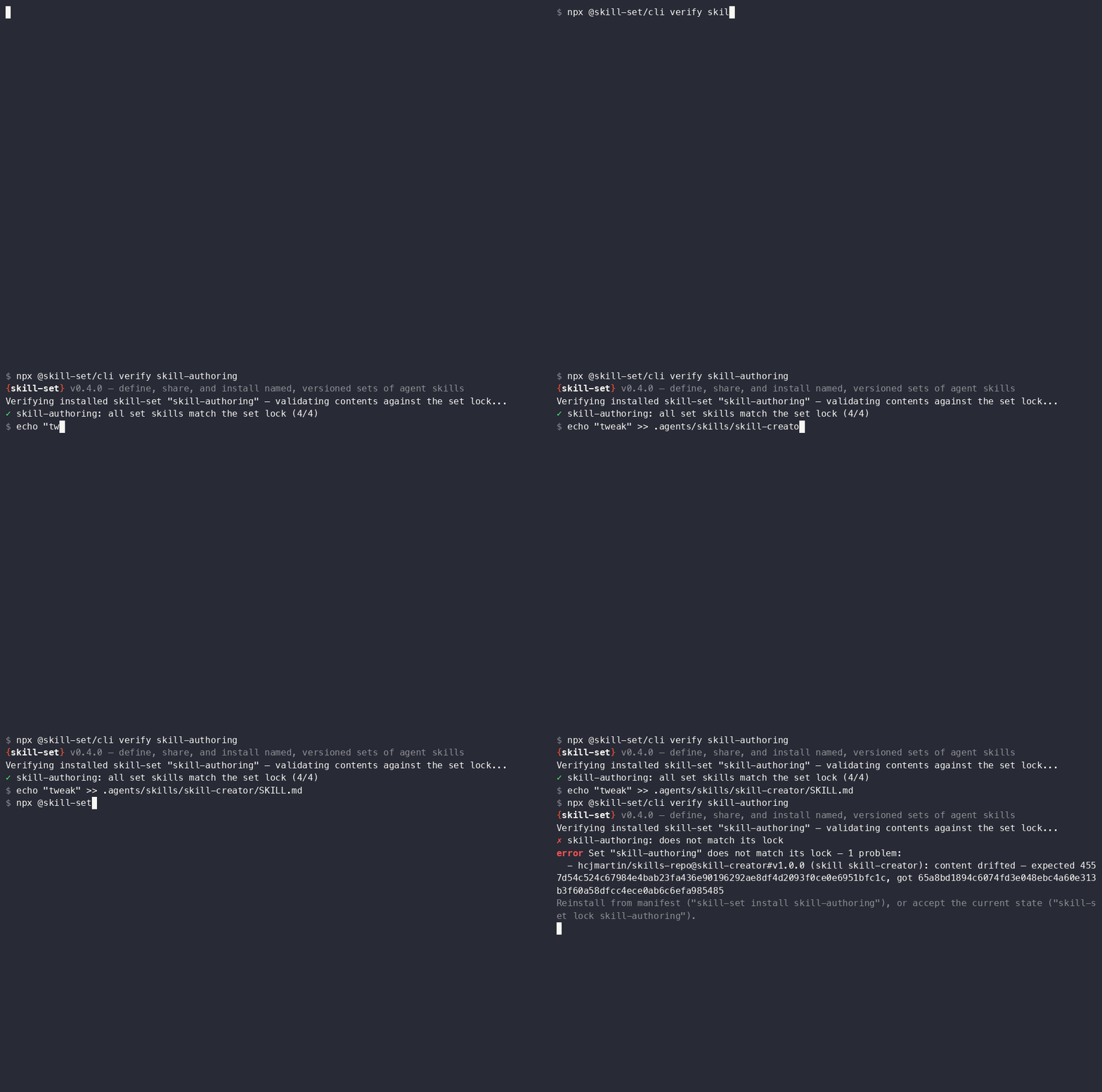
skill-set verify [<set>] [--frozen]Recomputes every member’s content hash and validates it against the set-lock (identical in CI). Reports drifted members with expected and actual hashes, missing folders, and membership differences; exits 3 on drift. Called without a <set>, verifies every set in the project.
For per-skill staleness against upstream sources, use npx skills check.
When a set has no lock, verify falls back to checking that every member is present, says explicitly that content was not verified, and hints to create a lock with skill-set lock <set>. --frozen turns that fallback into a failure: any targeted set without a lock is a precondition error (exit 2). See verifying in CI.
update#
skill-set update <set>Prints the update plan (each locator and its skill) and the exact upstream invocation, then asks one confirmation before mutating; --yes and --json skip the prompt, --dry-run shows the plan and spawns nothing. Updates run through npx skills@1.7.0 update <skills...> -p --yes, then the set is re-locked if a lock existed and derived files regenerate. All members must be installed before anything updates.
remove#
skill-set remove <set>Prints the full removal plan up front (set artifacts, removable and kept skills, the upstream cleanup command) and collects both confirmations before anything mutates. Skills still referenced by another set are kept (reference-counted, including by shared source). Accepted skill cleanup is delegated to npx skills remove and runs before the set definition is deleted, so a failed cleanup leaves the set installed for a retry. Declining cleanup removes only the set definition (manifest, lock, generated page) and refreshes the index.
Global flags#
| Flag | Effect |
|---|---|
--json | Machine-readable output: exactly one JSON object on stdout |
--yes, -y | Assume yes for prompts (required where a prompt would block CI) |
--dry-run | Print what would run or be written; change nothing, spawn nothing |
--help, -h | Show help |
--version, -v | Show the skill-set version and the pinned skills version |
Arguments after -- pass through to the skills CLI verbatim, for example:
skill-set install demo -- --agent claude-code cursorinstalls the set’s skills for those agents only. See npx skills --help for what the upstream accepts.
JSON output#
With --json, every run — including crashes — emits exactly one JSON envelope on stdout:
{ "ok": true, "command": "verify", "data": { "name": "frontend", "mode": "lock", "checked": 4 } }{
"ok": false,
"command": "install",
"error": {
"code": "ERR_SKILLSET_CONFLICT",
"message": "…",
"hint": "…",
"data": {}
}
}error.code is a stable machine-readable code; hint and data appear when available.
Successful install and add results include the structured upstream security fields for each installed skill. The security value can be null. Consumers do not need to parse terminal text.
Exit codes#
| Code | Meaning |
|---|---|
0 | Success |
1 | Error — anything not covered below |
2 | Usage — bad arguments, a prompt blocked without --yes, or verify --frozen without a set-lock |
3 | Drift — verify found installed content that does not match the set-lock |
4 | Conflict — a member source pinned to different refs across sets |